The best wireless mice for a classroom, home office, or gaming desk depend on how you work, how many devices you use, and whether portability or customization matters most. These picks cover compact travel, quiet multi-device productivity, adjustable ergonomic grips, and gaming-focused controls so you can match features to your setup.
Quick Top Products
JLab GO Charge Wireless Mouse
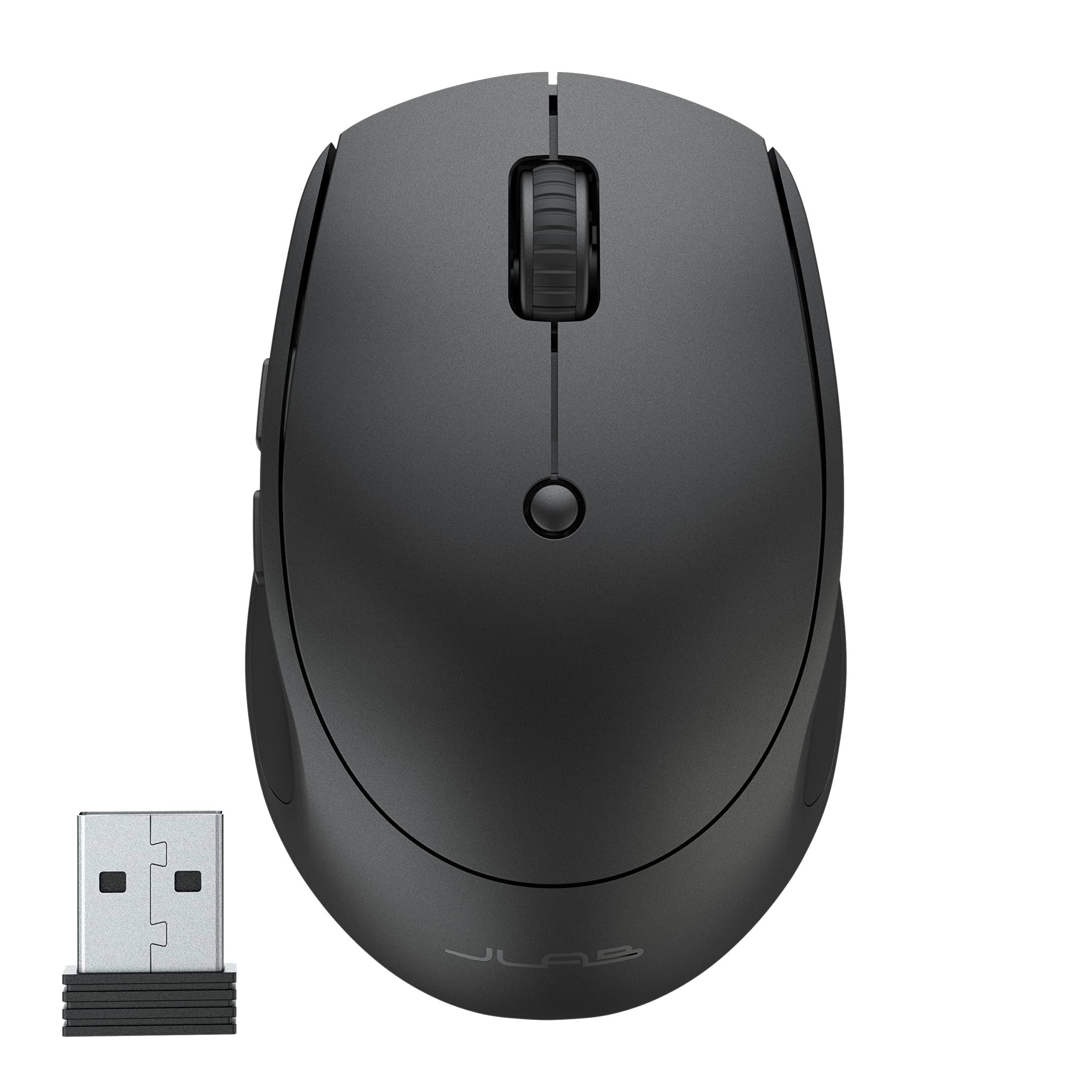
- Compact and lightweight for carrying in a bag.
- Switch between as many as three paired devices.
- Silent buttons and adjustable tracking support quiet work.
Best For: People who want a small rechargeable mouse that moves between work devices.

JLab JBuds Wireless Mouse
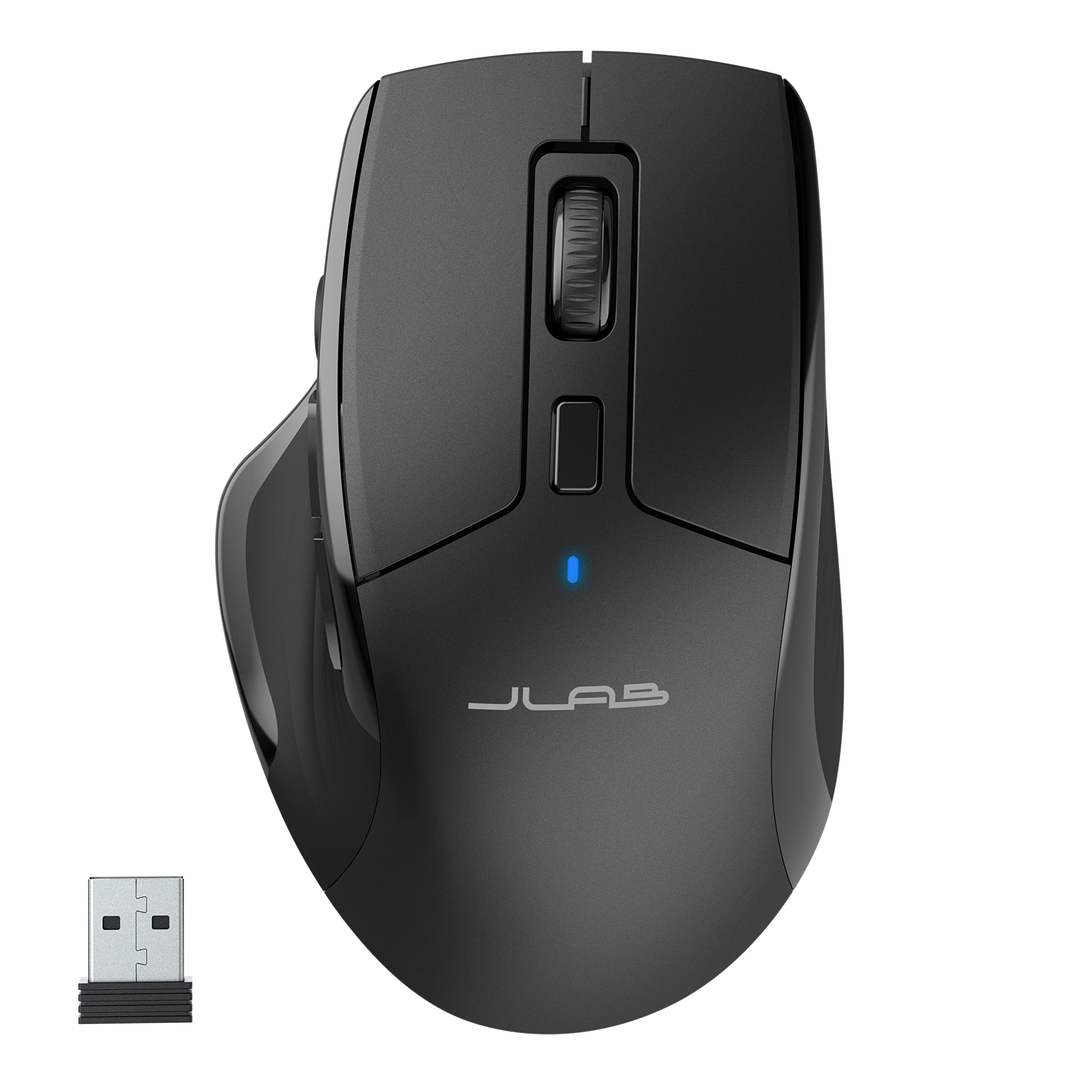
- Connects through Bluetooth 5.2 or a USB dongle.
- Seven programmable buttons and saved profiles allow customization.
- Full-size shape and quiet buttons target all-day shared-desk use.
Best For: Desk users who want a full-size mouse with silent clicks and customizable buttons.
JLab Epic Wireless Mouse
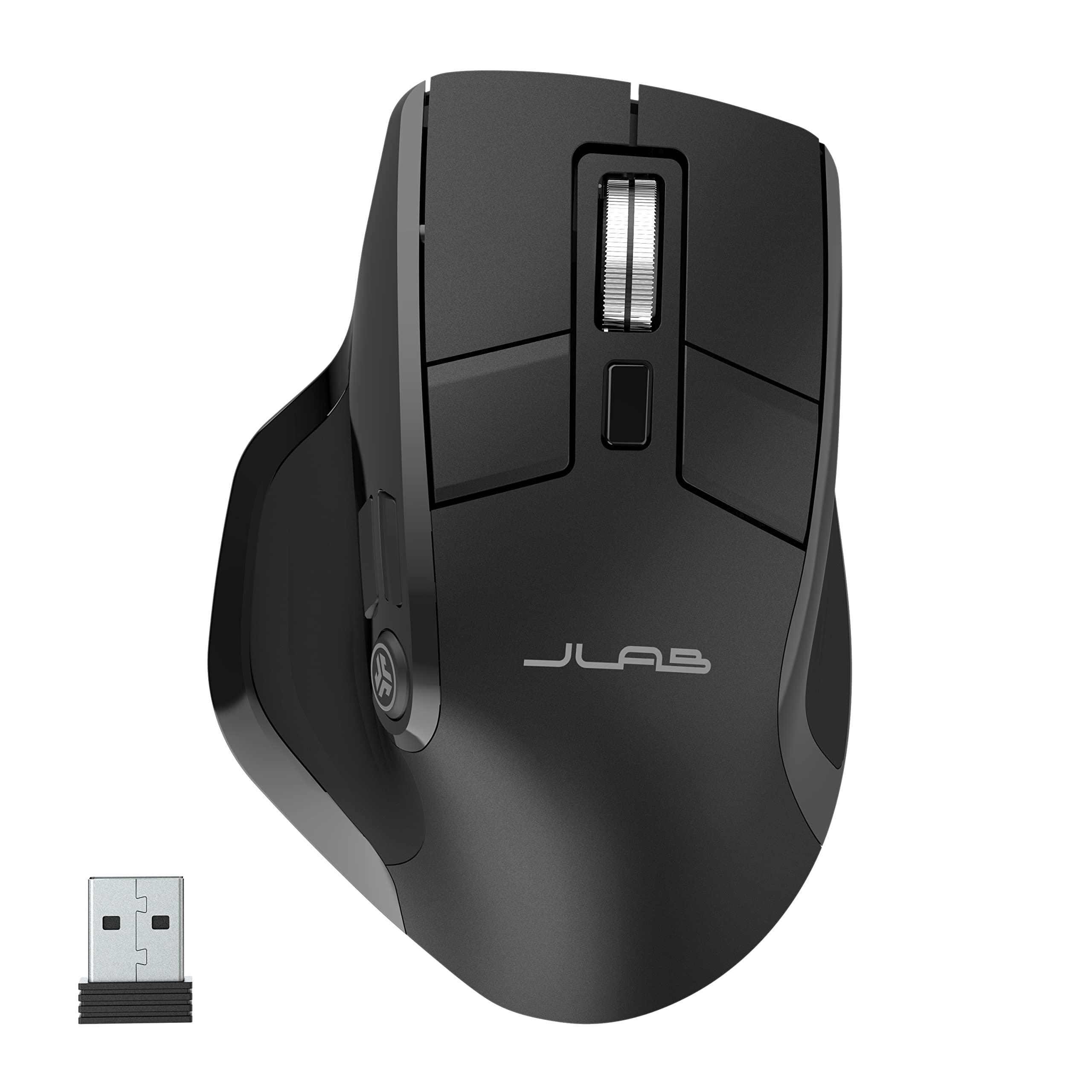
- OLED screen displays current DPI and battery level.
- Connects to and switches among up to three devices.
- Full-size ergonomic shape includes silent click buttons.
Best For: Multi-device users who want visible battery and DPI status on a full-size mouse.
ESR MagMouse Snap-to-Carry
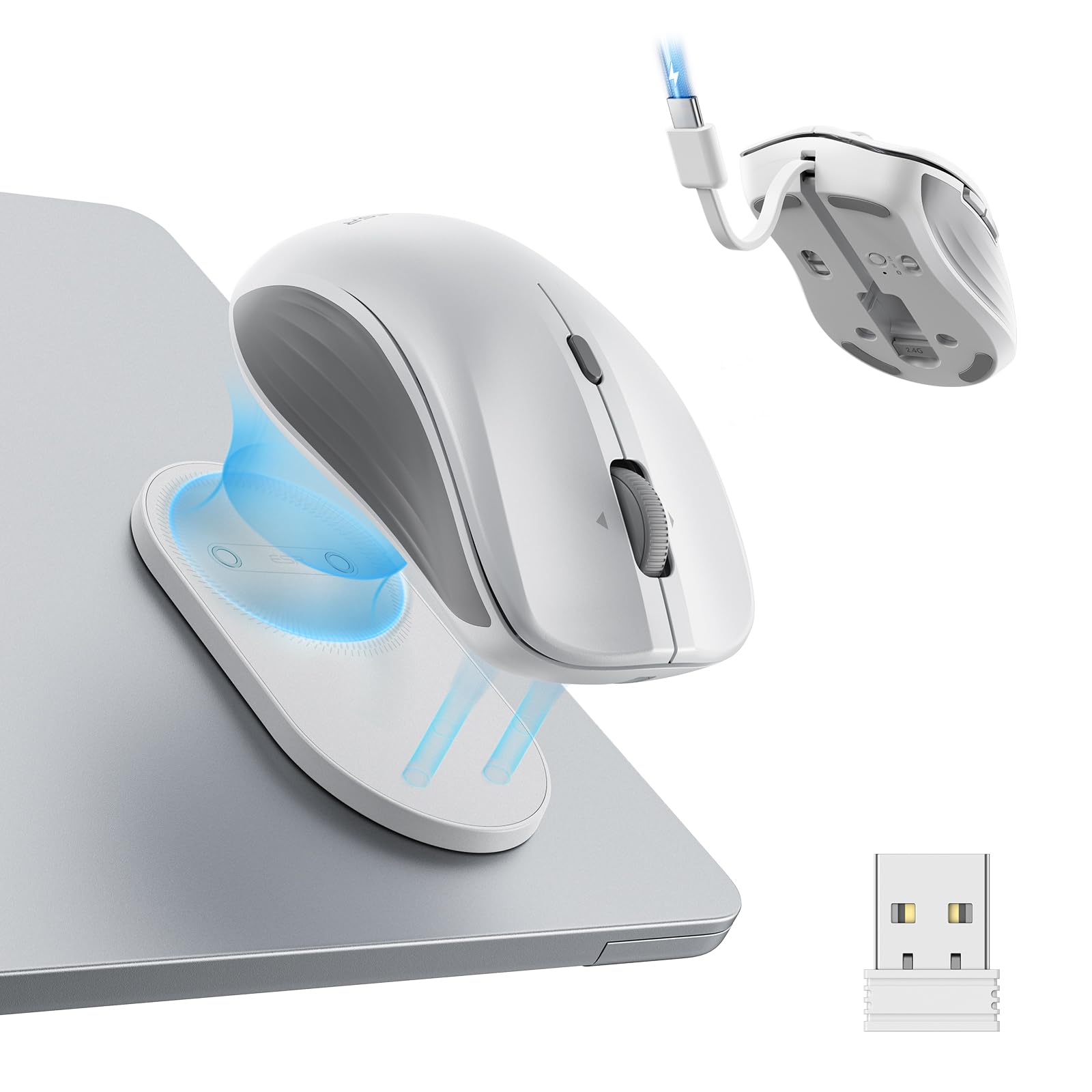
- Magnetic base snaps onto a reusable adhesive holder.
- Built-in USB-C cable supports charging without a separate cable.
- Four-way scroll wheel supports vertical and side-to-side navigation.
Best For: Laptop users who want an easy-to-carry mouse with a holder and four-way scrolling.
Contour Unimouse Wireless
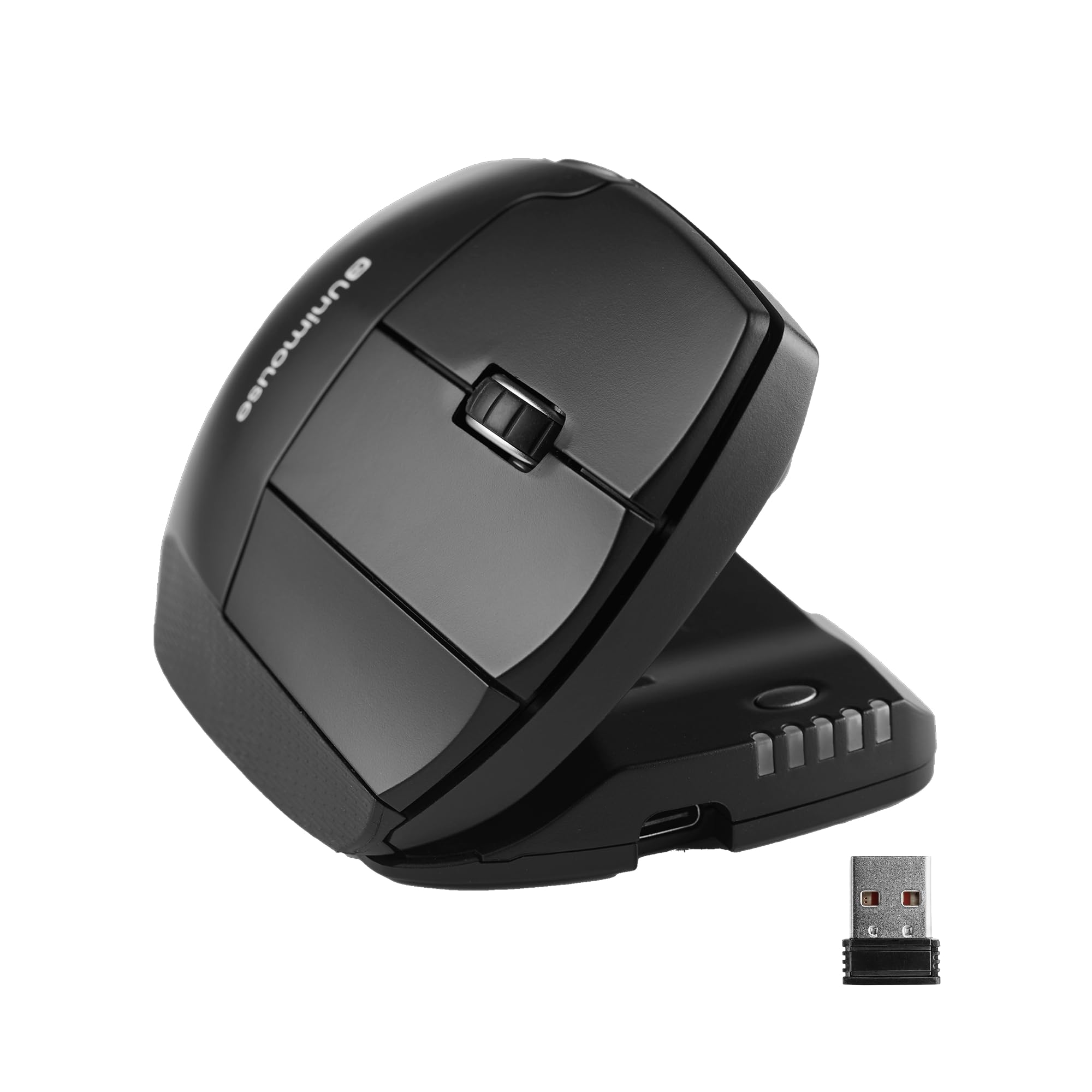
- Adjustable tilt ranges from 35° to 70°.
- Thumb support moves in multiple directions and rotates.
- Six programmable buttons support customized workflows.
Best For: Right-handed users who want to adjust mouse tilt and thumb support to their grip.
SABRENT Mini Travel Wireless Mouse
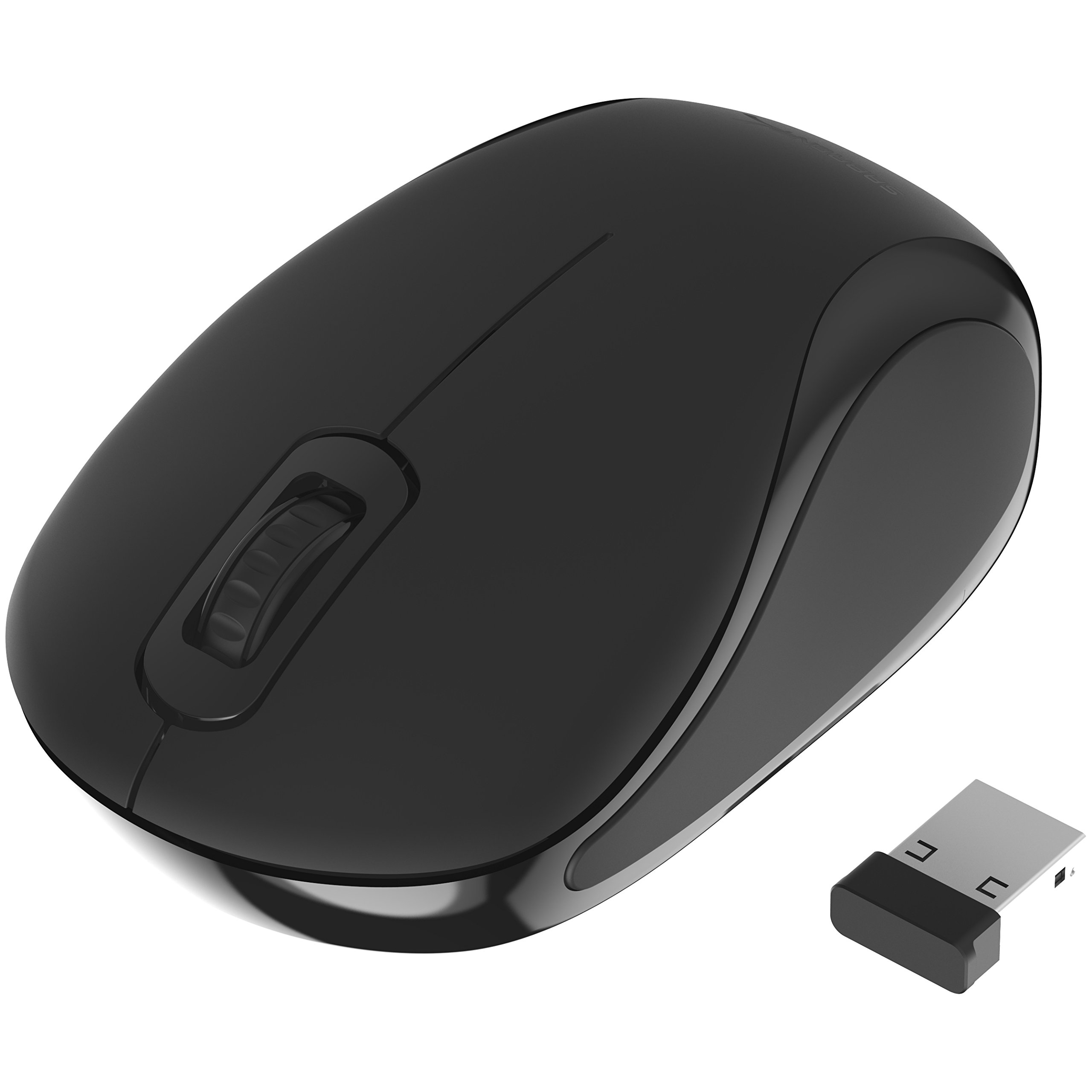
- Compact design and nano receiver suit travel use.
- 1200 dpi optical tracking supports cursor control.
- Ambidextrous three-button layout accommodates either hand.
Best For: Travelers who need a small, straightforward mouse with a USB receiver.
SABRENT Rechargeable Wireless Mouse
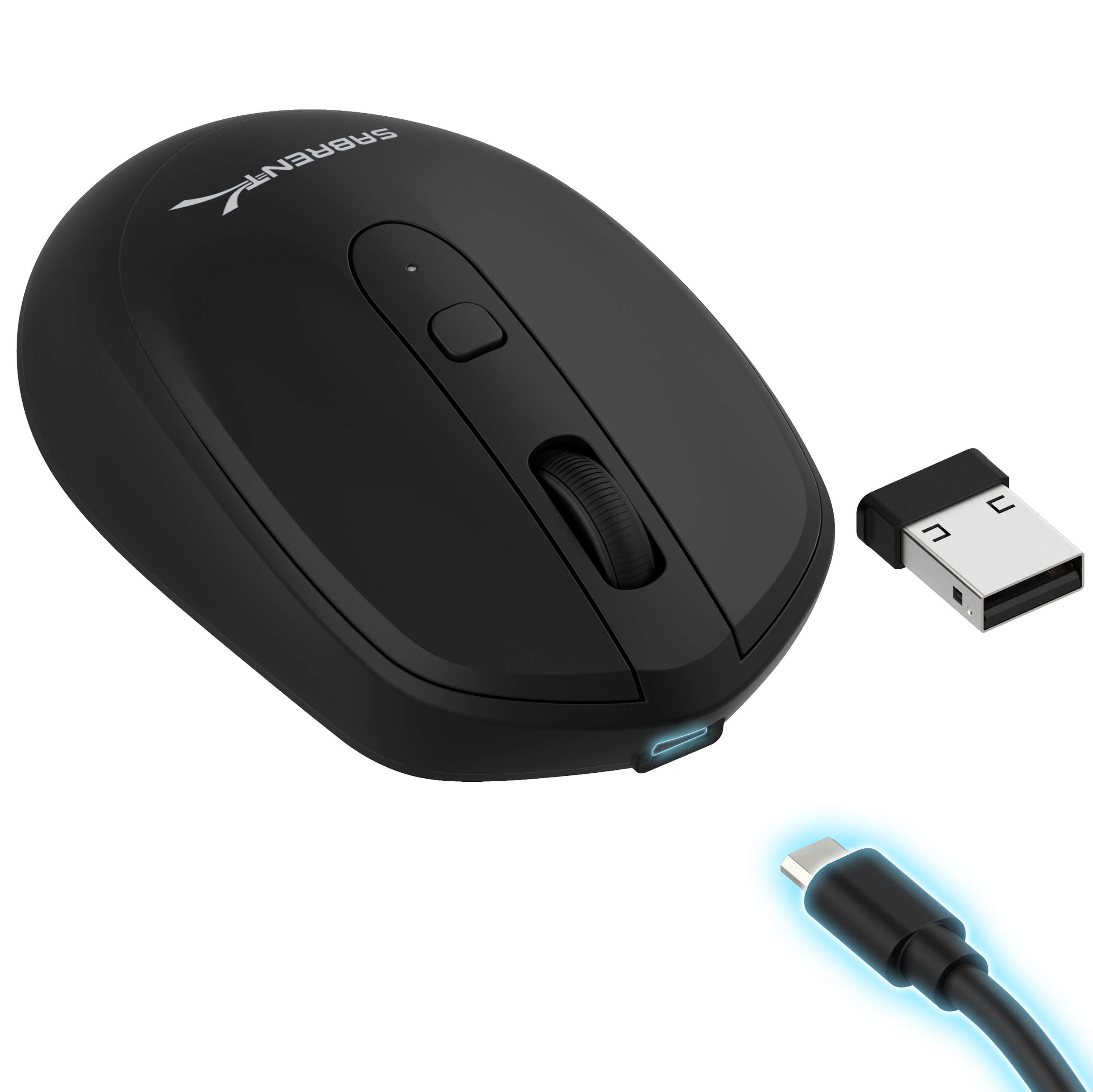
- Adjustable tracking offers three DPI settings.
- Rechargeable 600 mAh lithium battery is built in.
- Three-button layout includes a DPI toggle.
Best For: Budget-minded users who want adjustable tracking and rechargeable power in a basic mouse.
SteelSeries Aerox 3 Wireless

- Perforated shell weighs 68 g.
- Supports 2.4 GHz wireless and Bluetooth 5.0.
- Three-zone RGB lighting offers configurable colors.
Best For: Gamers who want a lightweight shell, two wireless modes, and RGB lighting.
SteelSeries Aerox 5 Wireless
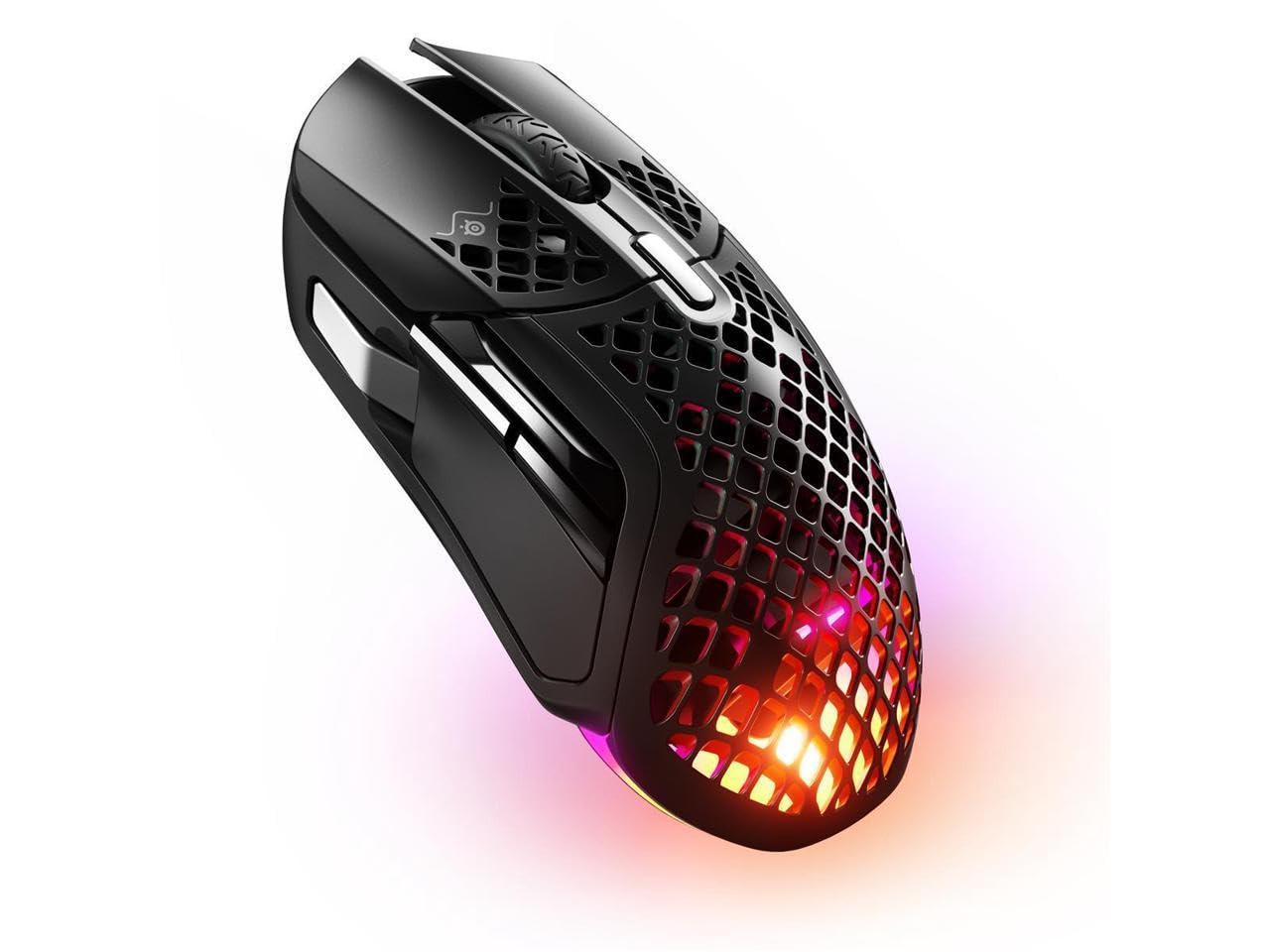
- Nine programmable buttons include a side panel and flick switch.
- The perforated shell weighs 74 g.
- Connects via Bluetooth 5.0 or 2.4 GHz wireless.
Best For: Gamers who want several assignable controls while keeping a lightweight wireless mouse.
SteelSeries Aerox 9 Wireless
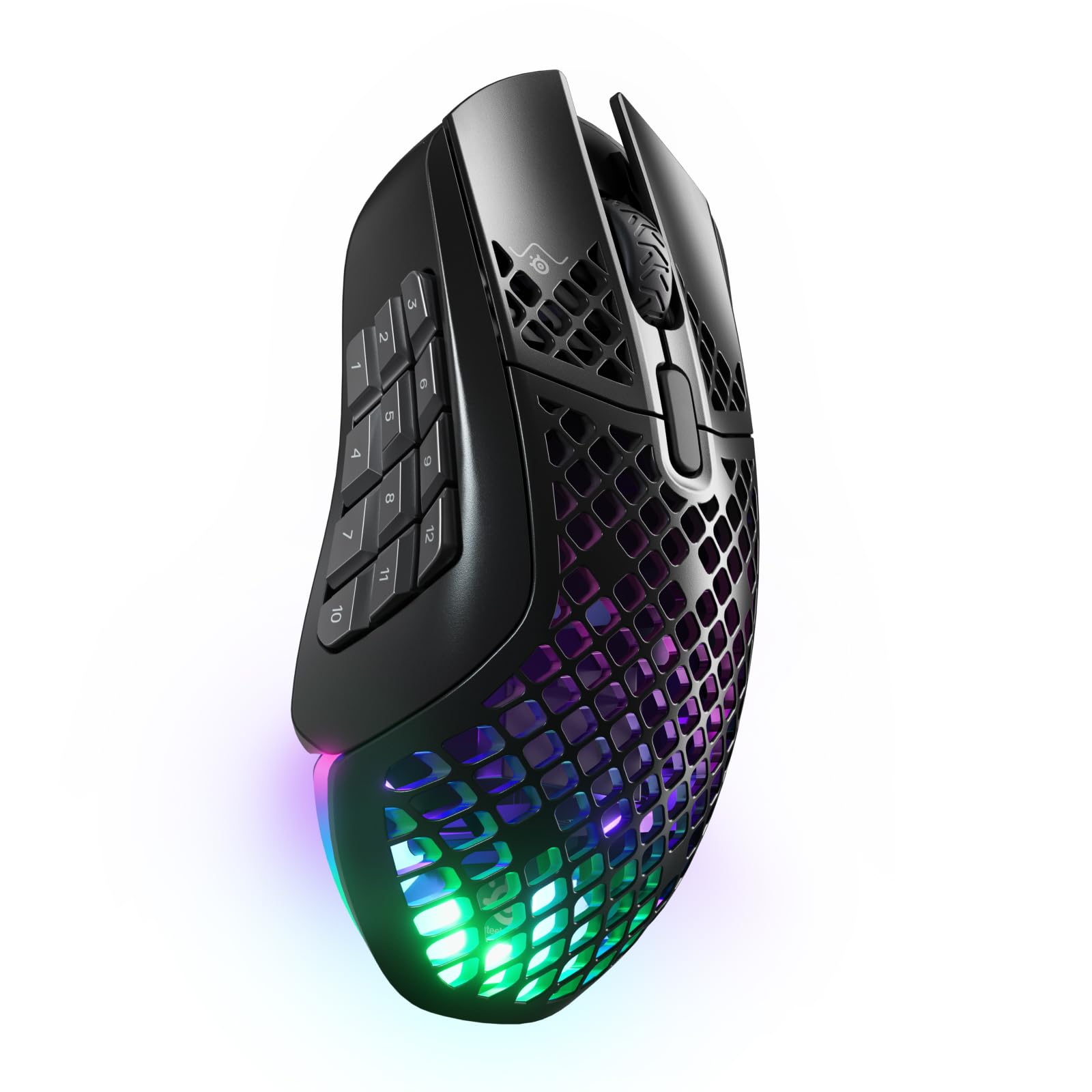
- Eighteen programmable buttons include a 12-button side panel.
- Connects through Bluetooth 5.0 or 2.4 GHz wireless.
- The perforated shell weighs 89 g.
Best For: Players who want many side buttons for game commands and shortcuts.
Compact Multi-Device Work Mouse
JLab, GO Charge, Wireless Mouse, Bluetooth, USB Dongle, Multi-Device, Compact, Rechargeable, Black
The JLab GO Charge combines a compact shape with wireless switching for a portable work setup. It can pair with up to three devices through Bluetooth 5 or a USB wireless dongle, so it suits a laptop plus other frequently used screens.
Adjustable DPI tracking lets you tune cursor speed, and silent click buttons make it more considerate in a shared classroom or office. JLab says its battery lasts 4+ months per charge, though actual time depends on use.
Its smaller form is easy to carry, but buyers who prefer a full-size grip may want a larger option.
Best For: People who want a small rechargeable mouse that moves between work devices.
| Pros | Cons |
|---|---|
|
|
Choose this mouse if you travel between work locations and want quiet clicks with multi-device switching. Its compact size favors portability, while the full-size JLab JBuds and Epic models may better suit buyers who want a larger shape.
Check that your devices support Bluetooth 5 or have a USB port for the dongle, and consider whether a compact grip suits your hand.
Quiet Full-Size Device Switching
JLab, JBuds, Wireless Mouse, Bluetooth, USB Dongle, Multi-Device, Silent Click, Full-Size, Black
The JLab JBuds is a rechargeable full-size wireless mouse built around device switching and button customization. Bluetooth 5.2 or the USB wireless dongle can connect it to as many as three devices, and the toggle makes it practical for switching among a classroom computer, personal laptop, and tablet.
Its seven programmable buttons can be remapped through the JLab Work app, with up to three custom profiles. Silent click buttons are useful in shared offices or during calls.
The record does not give battery runtime, so check charging expectations if you need long intervals between charges.
Best For: Desk users who want a full-size mouse with silent clicks and customizable buttons.
| Pros | Cons |
|---|---|
|
|
Pick the JBuds if a full-size shape, quiet clicks, and configurable shortcuts matter more than a compact travel design. The three-device toggle fits people who regularly move between computers and mobile devices.
Before buying, confirm the JLab Work app supports your setup and that the mouse's larger form suits your desk and hand; battery runtime is not given in these details.
OLED Status and Profile Controls
JLab, Epic, Wireless Mouse, Bluetooth, Multi-Device, OLED Display, Full-Size
The JLab Epic pairs a full-size ergonomic shape with an OLED display that shows current DPI and battery level. That screen makes two everyday settings visible without guessing, while adjustable tracking supports different cursor-speed preferences.
Bluetooth 5.2 and a USB wireless dongle provide connection choices, and the mouse can toggle among up to three paired devices. The JLab Work app stores up to three custom button profiles, which can help separate work tasks.
Its 800 mAh rechargeable battery is included, but no runtime estimate appears here, so charging frequency remains a detail to check.
Best For: Multi-device users who want visible battery and DPI status on a full-size mouse.
| Pros | Cons |
|---|---|
|
|
Choose the Epic when you value at-a-glance battery and DPI information alongside multi-device use. Compared with the JBuds, it adds an OLED status screen and an 800 mAh battery specification; both offer a full-size design, silent clicks, device switching, and saved profiles.
Check the mouse's size for your workspace and confirm the battery runtime meets your charging habits.
Snap-On Carrying and Side Scrolling
ESR MagMouse Snap-to-Carry Bluetooth Mouse, Wireless Mouse for Laptop | Rechargeable Mouse with Built-in Charging Cable, Reusable Adhesive Holder, BT 5.0 + 2.4 GHz Connectivity, Ergonomic, White
The ESR MagMouse is designed for mobile work, with a magnetic base that attaches to a reusable adhesive holder for carrying. The holder is meant to stay with a laptop or another surface, so consider whether that setup suits how you transport your gear.
A built-in USB-C charging cable removes the need to pack a separate cable. It connects through Bluetooth 5.0 or a 2.4 GHz dongle, and its four-way scroll wheel can move across wide spreadsheets as well as vertical documents.
Six DPI settings provide flexibility for everyday navigation or more detailed cursor work.
Best For: Laptop users who want an easy-to-carry mouse with a holder and four-way scrolling.
| Pros | Cons |
|---|---|
|
|
Pick the MagMouse if you want a carry-oriented design, integrated charging cable, and horizontal scrolling for wide documents. The holder's adhesive is a practical tradeoff: consider where you would attach it and whether you want it left on a laptop or another surface.
Check that your device can use Bluetooth or has a USB port for the wireless dongle.
Adjustable Right-Hand Ergonomics
Contour Unimouse Ergonomic Vertical Mouse Adjustable 35°-70° Tilt Angle, 6 Programmable Buttons for Productivity, Customizable Thumb Rest for Wrist Pain Relief | Plug & Play Mac/PC - Wireless - Right
The Contour Unimouse offers an adjustable vertical grip rather than a fixed-angle shell. Its tilt can be set between 35° and 70°, while the thumb rest slides, pivots, and rotates to help shape the hold around the hand.
Six programmable buttons and a smooth scroll wheel suit productivity workflows, and the USB plug-and-play receiver connects with Windows and macOS devices. It is rechargeable, with battery life described as up to 12 weeks per charge.
The key constraint is handedness: this model is designed for right-handed users, so it is not a fit for left-hand use.
Best For: Right-handed users who want to adjust mouse tilt and thumb support to their grip.
| Pros | Cons |
|---|---|
|
|
Choose the Unimouse if you want to adjust a vertical mouse's angle and thumb position instead of settling for a fixed ergonomic shape. Its right-hand-only design is the main fit constraint, and the range of adjustments may take setup time to find a comfortable position.
Check the physical size and receiver availability for your computer, especially if your device lacks a compatible USB port.
Simple Compact Travel Pick
SABRENT Mini Travel 2.4GHz Wireless Mouse with Nano Receiver (MS-WSML)
The SABRENT Mini Travel mouse keeps its feature set simple: a compact design, a nano receiver, and 2.4 GHz wireless connectivity. It uses optical tracking at 1200 dpi and has three buttons, making it suited to basic laptop navigation and text selection.
Its listed weight is 2 ounces, and it runs on one AAA battery rather than a rechargeable cell. The ambidextrous design can work for either hand.
Check operating-system compatibility against your device, since the compatibility details include older Windows versions and Mac OS X but do not give a current comprehensive platform list.
Best For: Travelers who need a small, straightforward mouse with a USB receiver.
| Pros | Cons |
|---|---|
|
|
This is a practical choice for buyers who want a basic, light travel mouse and do not need Bluetooth or advanced controls. The nano receiver does require an available USB connection, and the AAA battery means keeping a spare may be useful.
Review compatibility for your exact computer before buying, as the included operating-system details do not cover every current platform.
Rechargeable Three-Button Simplicity
SABRENT 2.4GHz Rechargeable Wireless Mouse with Adjustable Resolution (MS-RCWM)
The SABRENT MS-RCWM is a straightforward 2.4 GHz wireless mouse with a rechargeable 600 mAh lithium battery. Its adjustable resolution offers 800, 1200, or 1600 dpi, and a dedicated DPI toggle lets you change tracking without software.
The three-button layout keeps controls uncomplicated for everyday computer tasks. Fast charging is specified at 3.7V and 20mA, although no charging-time or battery-runtime figure is provided.
Buyers should check whether the 2.4 GHz receiver is included and how it connects to their device, since the supplied details do not spell out those points.
Best For: Budget-minded users who want adjustable tracking and rechargeable power in a basic mouse.
| Pros | Cons |
|---|---|
|
|
Choose this model for a simple rechargeable mouse with a few tracking-speed options and a three-button layout. It offers fewer documented workflow features than the multi-device JLab mice, but its direct DPI toggle can be convenient for basic tasks.
Before purchase, confirm the receiver and charging connection details, and consider whether the missing runtime information matters for your workday.
Lightweight Dual-Connection Gaming
SteelSeries Aerox 3 Wireless - Holey RGB Gaming Mouse - Ultra-lightweight Water Resistant Design - 18K DPI TrueMove Air Optical Sensor -Snow
The SteelSeries Aerox 3 Wireless combines a 68 g perforated shell with 2.4 GHz gaming wireless and Bluetooth 5.0. Its TrueMove Air optical sensor is paired with an 18K DPI specification, while three-zone PrismSync RGB provides configurable lighting.
The Aquabarrier design is rated IP54 for resistance to water splashes, dust, and dirt; this rating should not be read as permission to submerge the mouse. A stated battery life of up to 200 hours is tied to its wireless technology, but use and lighting settings can affect real runtime.
Its gaming-focused design may be more than office users need.
Best For: Gamers who want a lightweight shell, two wireless modes, and RGB lighting.
| Pros | Cons |
|---|---|
|
|
Pick the Aerox 3 if you value a light gaming mouse with both Bluetooth and 2.4 GHz, plus configurable RGB. The IP54 rating addresses splashes, dust, and dirt, while its open shell and gaming feature set may not suit every work desk.
Check whether you need more programmable controls, since this record does not state a button count, and consider your preferred grip before choosing a perforated design.
Programmable Gaming Controls
SteelSeries Aerox 5 Wireless - Holey RGB Gaming Mouse - Ultra-lightweight Water Resistant Design - 9 Buttons – Bluetooth/2.4 GHz - 18K DPI TrueMove Air Optical Sensor
The SteelSeries Aerox 5 Wireless has a 74 g perforated shell, nine programmable buttons, and a side panel with an up/down flick switch. It connects over 2.4 GHz or Bluetooth 5.0 and uses a TrueMove Air sensor with an 18K DPI specification.
Three-zone PrismSync RGB adds configurable lighting, while the Aquabarrier design is rated IP54 for water splashes, dust, and dirt. Battery life is specified at up to 180 hours.
The additional buttons can suit games or shortcut-heavy workflows, though they may be unnecessary if you mainly browse or edit documents.
Best For: Gamers who want several assignable controls while keeping a lightweight wireless mouse.
| Pros | Cons |
|---|---|
|
|
Choose the Aerox 5 if assignable controls matter and you prefer a lighter gaming design over a conventional office mouse. Its nine buttons and flick switch offer more documented input options than the Aerox 3, while the latter is lighter.
Check that the button layout and hand orientation suit your grip, and decide whether the open shell and gaming features make sense for your everyday use.
Shortcut-Heavy MMO Gaming
SteelSeries Aerox 9 Wireless - Holey RGB Gaming Mouse - Ultra-lightweight Water Resistant Design - 18 Buttons – Bluetooth/2.4 GHz - 18K DPI TrueMove Air Optical Sensor
The SteelSeries Aerox 9 Wireless emphasizes controls, with 18 programmable buttons and a 12-button side panel. Its 89 g perforated shell is rated IP54 for water splashes, dust, and dirt, and the TrueMove Air sensor has an 18K DPI specification.
Bluetooth 5.0 and 2.4 GHz Quantum 2.0 wireless provide two connection modes. Battery life is specified at up to 180 hours.
The side controls can be useful when games or workflows need many commands close at hand, but their number and placement may be excessive for simple browsing or general classroom work.
Best For: Players who want many side buttons for game commands and shortcuts.
| Pros | Cons |
|---|---|
|
|
Pick the Aerox 9 if you will use its large bank of side controls for game commands or repeated shortcuts. The button layout is its defining tradeoff: it offers more direct inputs than the Aerox 5, but demands more from muscle memory and may be unnecessary for general-purpose use.
Check the side-panel arrangement against your grip and the games or applications you use most.
How to Choose Wireless Mice
How We Picked Wireless Mice
This selection spans everyday desk work, classroom use, laptop travel, ergonomic adjustment, and gaming. The work-focused options emphasize quiet clicks, rechargeable power, multi-device switching, or saved button profiles; travel picks add compact shapes, a holder, or a nano receiver.
The gaming mice were selected for documented wireless modes, sensor specifications, lightweight designs, and programmable controls.
We left out a multipack offer of a mouse already represented by its single-item model and a keyboard bundle whose mouse details were unclear. The remaining picks have a distinct practical role supported by features such as the Unimouse's adjustable tilt, the MagMouse's side scrolling, or the Aerox models' assignable controls.
Match those features to your actual devices and routines.
Comparing Wireless Mice for Work, Travel, and Gaming
For a classroom or shared office, silent clicks on the JLab JBuds and Epic can reduce noise, while their multi-device switching and saved profiles suit people who use several screens. The Epic adds an OLED readout for battery and DPI.
The GO Charge trades a full-size body for a compact, lightweight form, and the SABRENT Mini is simpler still, with a nano receiver, three buttons, and a replaceable AAA battery.
For carrying with a laptop, the ESR MagMouse adds an adhesive holder, integrated USB-C cable, and four-way scrolling. Consider where its holder attaches and whether you want Bluetooth or a USB dongle.
For hand-position customization, the right-handed Unimouse has a variable tilt and adjustable thumb support; it is a more specialized desk option than the symmetrical travel models.
Gaming options differ in the controls and shell. The Aerox 3 is the lightest of the listed gaming mice and offers two wireless modes.
The Aerox 5 adds nine programmable buttons and a flick switch, while the Aerox 9 has a 12-button side panel for command-heavy play. Battery figures are maximum stated runtimes, not a promise of identical results for every setting.
| Product | Standout features | Best for |
|---|---|---|
| JLab GO Charge Wireless MouseCheck Price |
| People who want a small rechargeable mouse that moves between work devices. |
| JLab JBuds Wireless MouseCheck Price |
| Desk users who want a full-size mouse with silent clicks and customizable buttons. |
| JLab Epic Wireless MouseCheck Price |
| Multi-device users who want visible battery and DPI status on a full-size mouse. |
| ESR MagMouse Snap-to-CarryCheck Price |
| Laptop users who want an easy-to-carry mouse with a holder and four-way scrolling. |
| Contour Unimouse WirelessCheck Price |
| Right-handed users who want to adjust mouse tilt and thumb support to their grip. |
| SABRENT Mini Travel Wireless MouseCheck Price |
| Travelers who need a small, straightforward mouse with a USB receiver. |
| SABRENT Rechargeable Wireless MouseCheck Price |
| Budget-minded users who want adjustable tracking and rechargeable power in a basic mouse. |
| SteelSeries Aerox 3 WirelessCheck Price |
| Gamers who want a lightweight shell, two wireless modes, and RGB lighting. |
| SteelSeries Aerox 5 WirelessCheck Price |
| Gamers who want several assignable controls while keeping a lightweight wireless mouse. |
| SteelSeries Aerox 9 WirelessCheck Price |
| Players who want many side buttons for game commands and shortcuts. |
Choosing a Mouse for a Classroom or Shared Desk
Quiet clicks can matter during lessons, meetings, or calls, making the JLab JBuds and Epic useful candidates for shared spaces. Their rechargeable full-size shapes and device toggles suit desk setups where a user moves between computers.
The GO Charge combines silent buttons with a compact build for teachers or students who carry a laptop between rooms.
For device compatibility, check whether your computer supports Bluetooth or has a suitable USB port for the receiver. The SABRENT Mini relies on its nano receiver and a AAA battery; the JLab mice have multiple connection paths.
If you work with wide spreadsheets or timelines, the ESR's side-tilt scrolling offers a specific benefit beyond basic vertical scrolling.
Ergonomic and Portable Mouse Features to Check
A mouse's shape and size affect whether it feels natural during regular use. The Unimouse is designed for right-handed users and lets you vary both tilt and thumb support.
Its adjustable geometry offers more fit options than a fixed shell, though buyers should plan to spend time setting it up. Compact choices such as the GO Charge and SABRENT Mini are easier to carry, but may feel small compared with full-size models.
Look at charging and battery details alongside shape. The MagMouse has a built-in USB-C cable and a stated full-charge use estimate, while the GO Charge gives a months-per-charge figure.
The JLab Epic specifies an 800 mAh capacity but not runtime in the details here; the SABRENT rechargeable model likewise lacks runtime information. Treat those gaps as reasons to check charging expectations before choosing.
Which Wireless Mouse Fits Your Workday or Game?
For a multi-device desk, choose among the JLab JBuds, Epic, and GO Charge based on size and controls: full-size with seven remappable buttons, an OLED status screen, or a compact shape. For laptop travel, the MagMouse is the feature-rich carry option, while the SABRENT Mini keeps the setup simple.
For an adjustable right-hand ergonomic grip, consider the Unimouse.
For gaming, choose the Aerox model according to how many shortcuts you will use. The Aerox 3 emphasizes low weight and dual wireless connections; the Aerox 5 balances a lighter shell with a set of assignable controls; the Aerox 9 centers on its extensive side panel.
Check button placement and grip fit before buying, since control count only helps when it suits your hand and games.